Multi-Step Service Request Funnel
A branching, auto-advancing service-request form for a fictional handyman company — with a built-in A/B test, Consent Mode–aware GTM tracking, and a real webhook handoff.
The Problem
A home-services request form needs to move fast — most visitors already know what they need, so every unnecessary click or "Continue" button in the way costs completions. At the same time, the form still has to collect real contact information safely, respect a visitor's cookie choice before any tracking or ad signals fire, and hand off a completed lead somewhere useful. This project needed all three working together in one lightweight, no-framework build.
What I Built
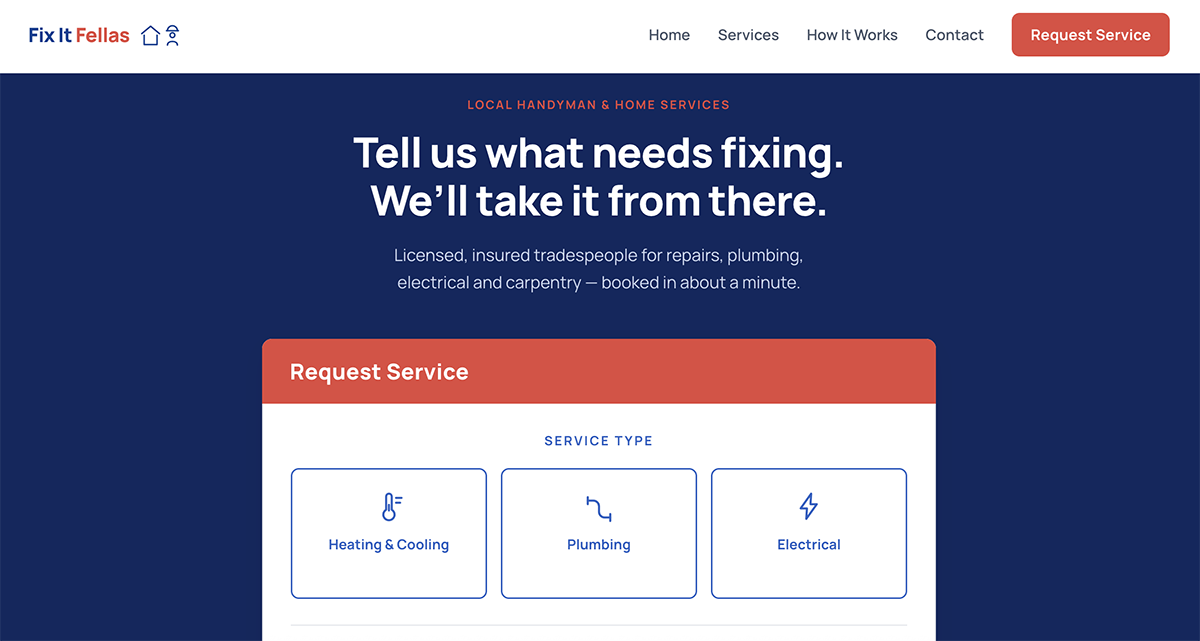
- A four-step request flow (service category → specific service, job details, contact info, preferred schedule), where most steps auto-advance the instant a valid choice is made — no separate "Next" click required except on the typed-input and final steps.
- Full field-level validation on the contact step — required-field checks plus regex validation for email and phone, with a live-formatting input mask on the phone field, plus a real required consent checkbox rather than a paragraph of fine print.
-
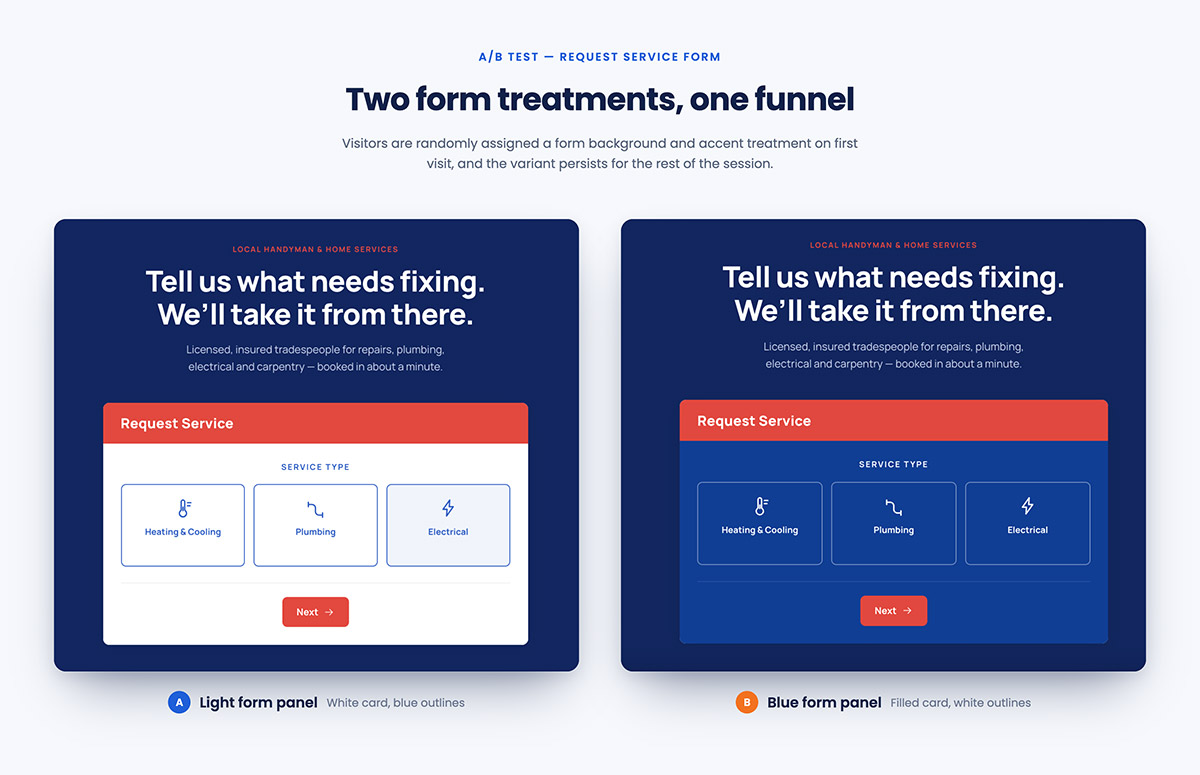
A built-in A/B test on the form itself: each visitor is randomly assigned one of two visual variants (navy background with white icons, or white
background with blue icons) on first load, persisted via
localStorageso it stays consistent across their visit.
-
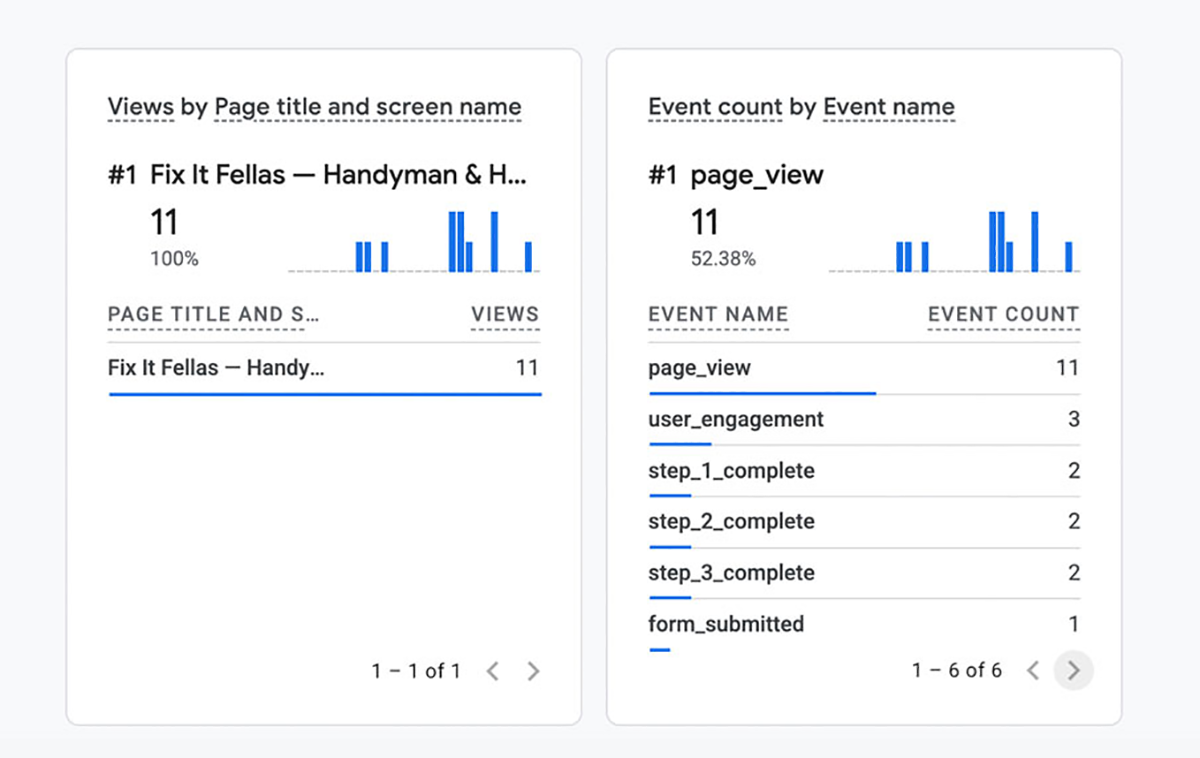
dataLayer.push()events at every step (step_1_completethroughstep_3_complete, plusform_submitted), every single one automatically carrying the visitor's assignedab_variantso results can be segmented by variant in GA4 with no extra setup. -
Real Google Consent Mode:
analytics_storage,ad_storage, and related signals default to denied before GTM even loads, and only update to granted or denied once the visitor makes a choice on the cookie banner — with a returning visitor's earlier choice automatically re-applied on their next visit.
- A working
fetch()call posting the completed request to a webhook endpoint, proving the client-side handoff to a CRM.
Key Decisions
Auto-advance on a single click." Most steps only need one choice to complete, so the form advances automatically the instant a valid selection is made rather than waiting on a separate click. The Next/Back buttons stay visible on every step regardless, both for a consistent layout across all four steps and as a fallback — attempting to advance without a valid selection still surfaces the existing validation error.
Rather than building a standalone A/B tracking system, the assigned variant rides along as one extra parameter on the funnel events already being built. One small helper function guarantees every event carries it automatically, so it's never possible to forget it on one push and lose that data point.
Rather than wrapping tracking calls in an if-statement, this uses Google's actual Consent Mode API — a default-denied state set before GTM loads, updated once the visitor chooses. That's the same mechanism a real consent-management plugin (CookieYes, at my day job) implements under the hood, so building it by hand here was about understanding what that kind of plugin is actually doing, not just what a cookie banner looks like.
Unlike Project 1's CRM endpoint, this webhook test target accepted the request outright — the submitted data genuinely arrived. But since the
endpoint's response doesn't include the right CORS headers, the browser still blocks JavaScript from reading that response, surfacing as a
failed fetch() in the console even though delivery succeeded. It's a useful, accurate example of why "my fetch failed" doesn't
always mean "the data never arrived" — and exactly the kind of gap a server-side proxy. I will be learning this in my next phase of learning.