Property Search & Filter Landing Page
A real estate search experience for a fictional San Diego brokerage — live data fetched from a JSON source, filtered entirely client-side, and tracked through GTM & GA4 to surface search behavior and result quality.
The Problem
This project needed a search form that filters real listing data instantly with no page reload, handles the "no results" case gracefully instead of leaving visitors staring at a blank grid, and reports enough detail back to GA4 that a marketing team could actually act on it — not just "someone searched," but what they searched for and whether it worked.
What I Built
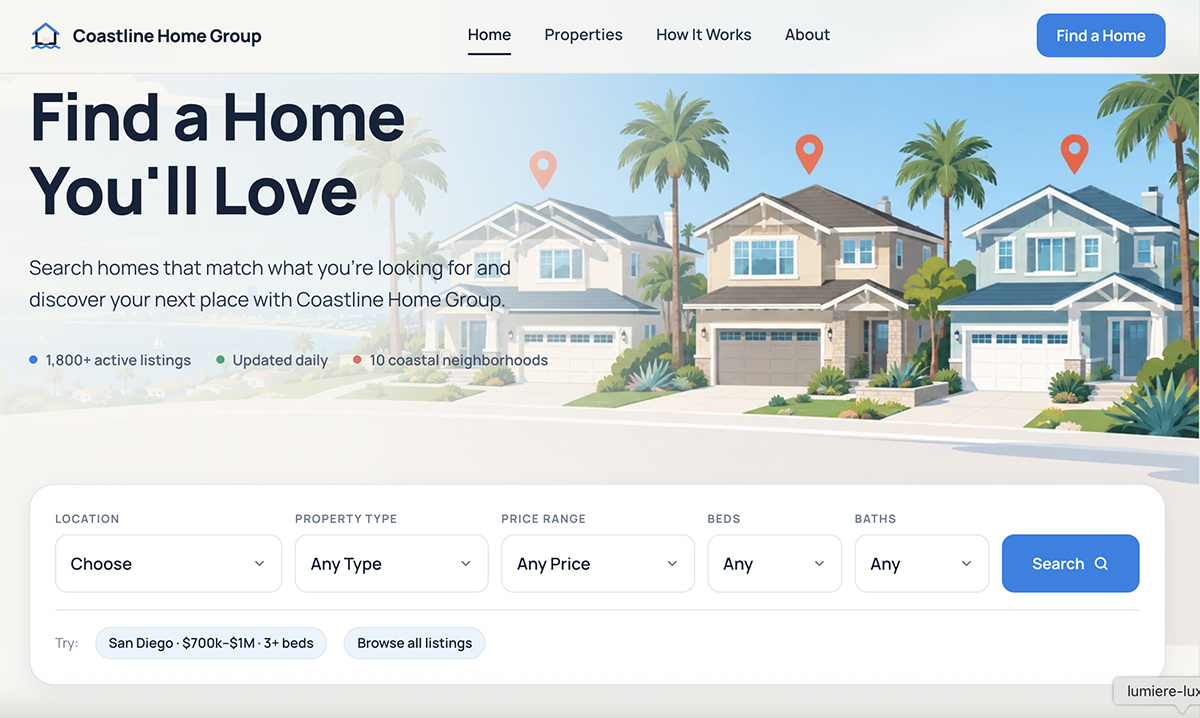
- A hero search form (location, property type, price range, beds, baths) that filters a real dataset client-side with no page reload, sorting matches by price.
-
Listing data pulled from a separate
houses.jsonfile viafetch()andasync/await, rather than hardcoded into the JavaScript — keeping the data cleanly separate from the filtering logic.
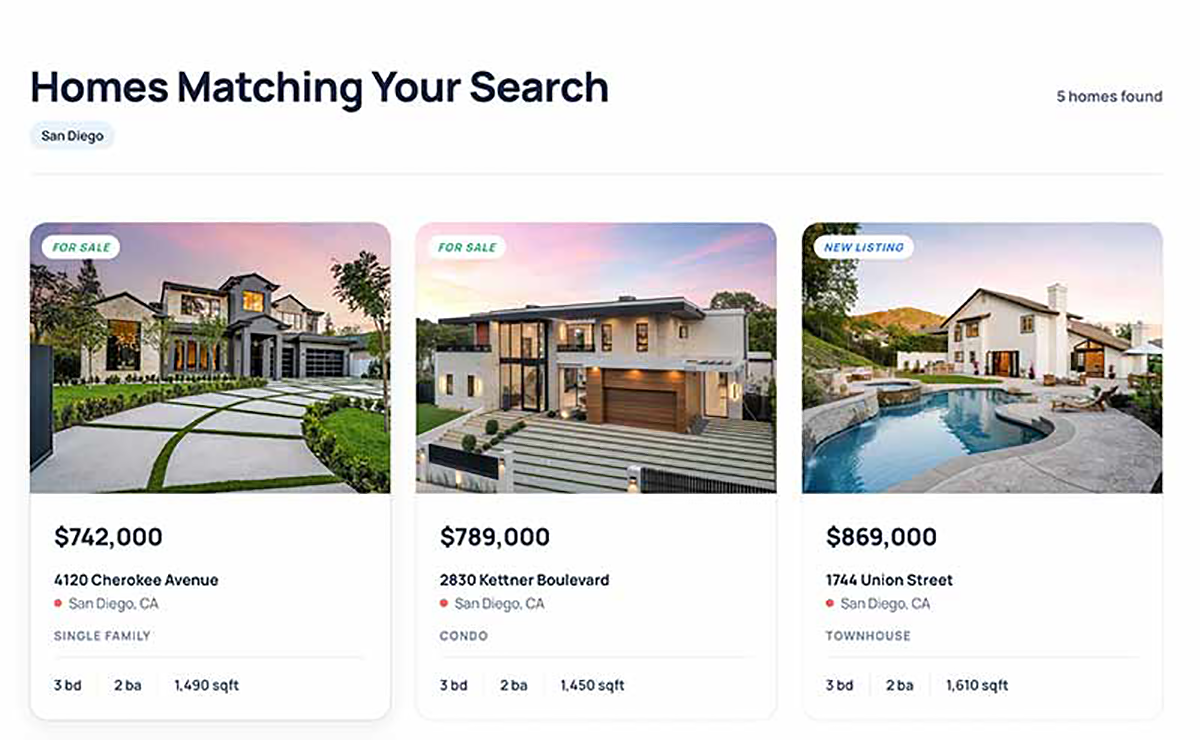
- Dynamic result cards rendered from the matched listings, each pulling a photo from a small rotating image pool keyed to property type, so the same address always shows the same photo.
- A dedicated empty state ("No homes match these criteria") shown whenever a search returns zero matches, instead of an empty or broken-looking grid.
- Two quick-start "Try:" shortcuts that run a preset search or clear all filters, exercising the same search logic as a real form submission.
-
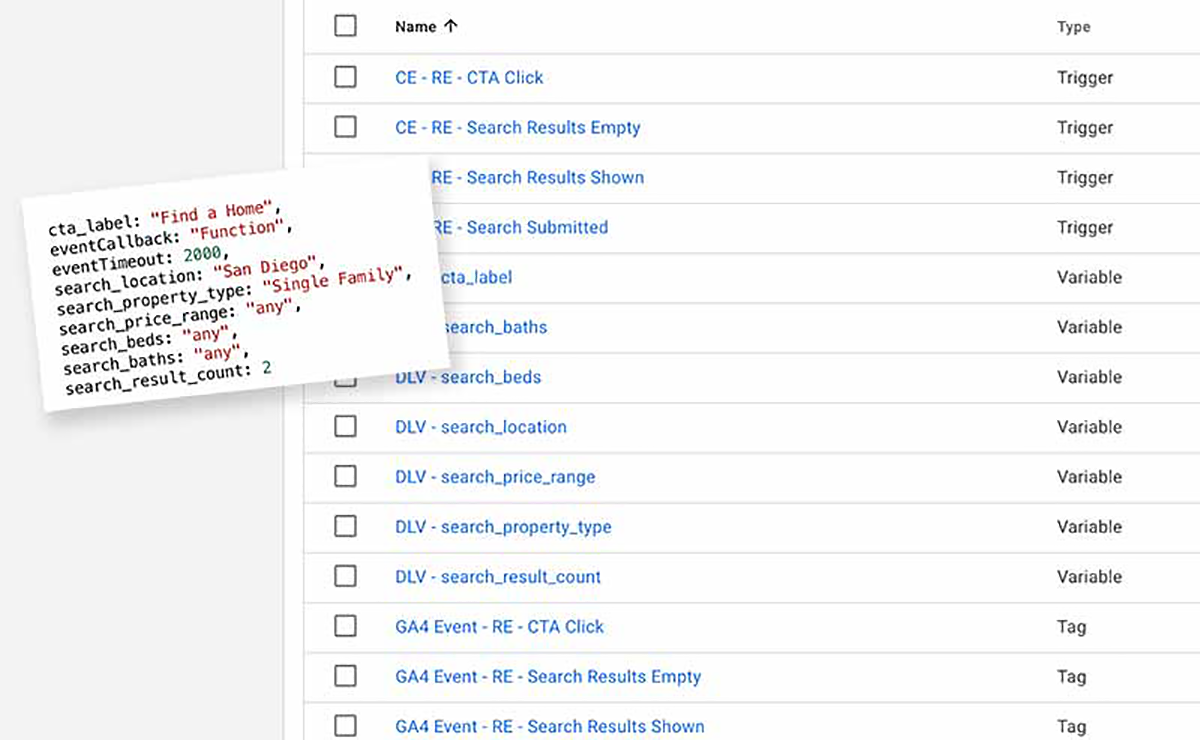
dataLayer.push()events on every search (search_submitted, carrying the actual filter values and result count) and a second event distinguishing zero-match searches (search_results_empty) from successful ones (search_results_shown). -
A single reusable click listener tracking every button that links back to the search section (
cta_click), passing the clicked button's own label as an event parameter instead of hardcoding a separate listener per button.
Key Decisions
The listings started as a plain JavaScript array sitting directly in app.js. Converting it to a standalone
houses.json file fetched at runtime mirrors how this data would actually arrive from a real API or CRM — the filtering logic
doesn't know or care where the data came from, only that it eventually shows up as an array.
Rather than one event with a boolean flag, empty and populated searches fire as two distinct dataLayer events. That makes it trivial to build a GA4 report specifically around search quality — how often people are searching into a dead end — without having to filter a single event by a nested parameter.
Five different buttons across the page link back to the search section. Instead of writing five separate addEventListener calls
with hardcoded labels, a single querySelectorAll loop attaches one listener to all of them and reads each button's own text as the
event's cta_label — so a renamed or newly added button is tracked automatically, with no tracking code to update.
The page was originally designed around a "download a personalized guide" call to action gated behind a form. That mechanic — the lead-capture form, validation, and unlock logic — was deliberately pulled out into its own dedicated project instead, so this page's copy and CTAs were reworded to reflect what it actually does: a search tool, not a lead-gate.