RouteRite — B2B Demo Request Landing Page
A demo-request landing page for a fictional dispatch software company, built in HubSpot to prove out the full loop from a public page to a working CRM record — not just a page design exercise.
The Problem
Most of my form work up to this point has been custom-coded — a form posting to a webhook, with the CRM handoff happening through code I write myself. That's the pattern I use at my day job, but it's not the only pattern marketing teams actually work in. A lot of companies build directly inside a platform like HubSpot, where the page, the form, and the CRM are the same system rather than three things I'm wiring together. I wanted a project that tested that end-to-end, inside a tool I hadn't built anything real in yet, for a fictional product ("RouteRite," a dispatch and routing tool for field service businesses) rather than a form connected to a CRM I don't have real access to.
What I Built
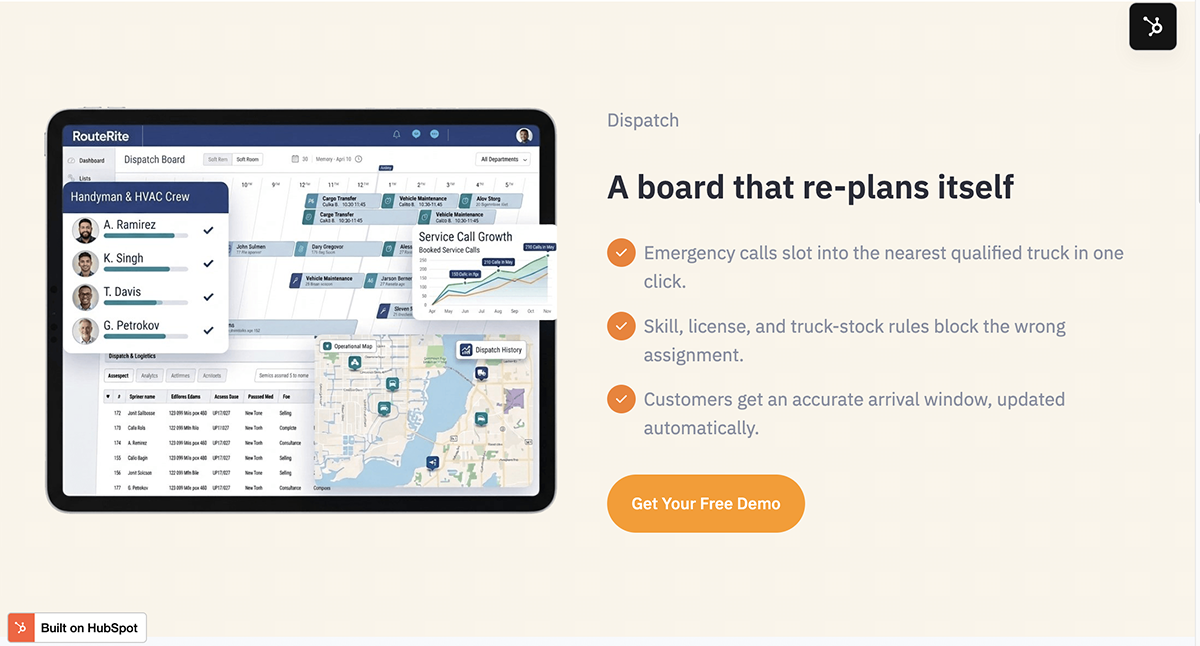
- A single-page demo-request funnel for RouteRite: hero section with an inline lead form, a stats section, three feature sections pairing custom illustrations with short copy, an FAQ, and a closing call-to-action — all built in HubSpot's page editor rather than hand-coded.
- A HubSpot Brand Kit set up at the account level (logo, color palette, heading/body fonts) so every module on the page pulls from the same source rather than hardcoding colors per element.
- A demo-request form with five fields (Name, Work Email, Company Name, Number of Techs/Trucks, Phone), including a custom dropdown property I created from scratch in HubSpot's property manager rather than using a default field.
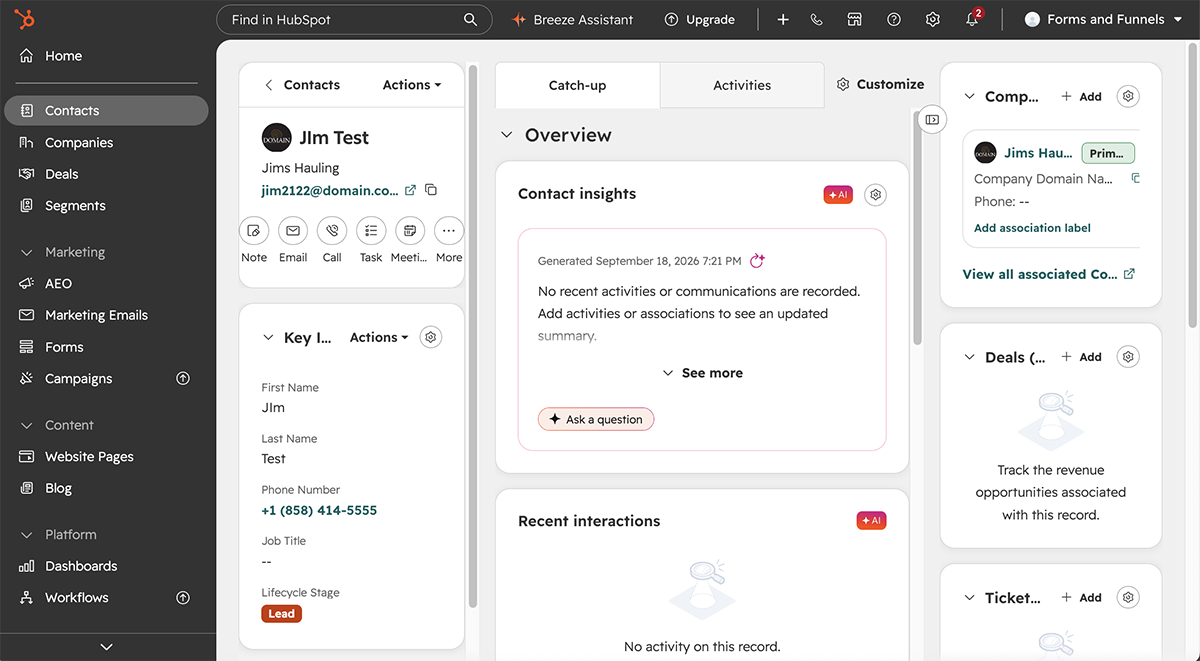
- Verified that a real submission creates both a Contact and an associated Company record automatically, with every field correctly mapped to its property — no custom webhook or backend code involved.
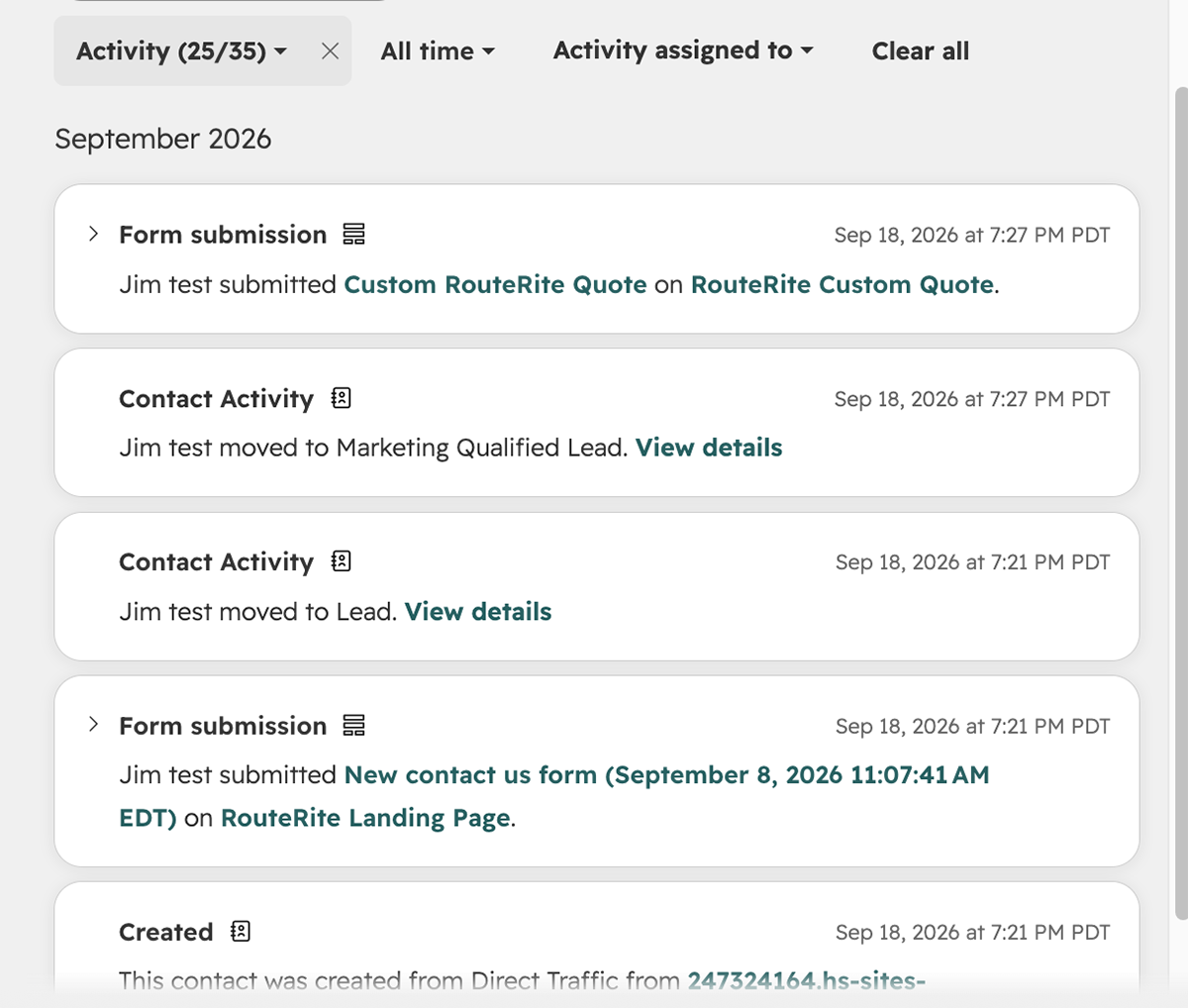
- A second, separate newsletter signup form in the footer, deliberately kept to just an email field, to test and document how HubSpot handles a returning contact: submitting the newsletter form with an email that already existed as a Contact updated that same record instead of creating a duplicate, which I confirmed directly in that contact's property history.
Key Decisions
Every other form project I've built posts to a CRM through a webhook I wrote. This one flips that — the form, the page, and the CRM are the same platform, so there's no integration code at all. That's a genuinely different skill than what I use day to day, and closer to how a lot of marketing teams actually operate.
Since I don't plan to build unrelated brands in this HubSpot account, setting colors and fonts once at the account level meant every new page or section could pull from the same source instead of me re-entering hex codes each time.
"Number of Techs/Trucks" isn't a property HubSpot ships with by default. Rather than using a plain text field, I built it as a proper dropdown property, since that's the more realistic setup for a field meant to actually segment or qualify leads later — a free-text field wouldn't hold up for that.
Rather than assuming HubSpot would handle a second form submission from the same person correctly, I deliberately tested it: submitted the demo form once, then submitted the newsletter form later with the same email address. HubSpot's own property history confirmed it updated the existing Contact rather than creating a second one — a small thing, but the kind of detail that matters once real form data starts coming from more than one place.